
Introducing Linear support
Assign Linear issues to AgentConnect agents, follow their plans and tool activity, ask follow-up questions, and keep results and status updates in the issue.

AgentConnect now supports Linear. Bring Claude Code, Codex, and your other agents into the issues where your team tracks its work.
Open an issue and choose AgentConnect from the Assignee menu. Your agent picks up the issue description and starts working. Its plan, tool calls, and progress stream back into Linear.
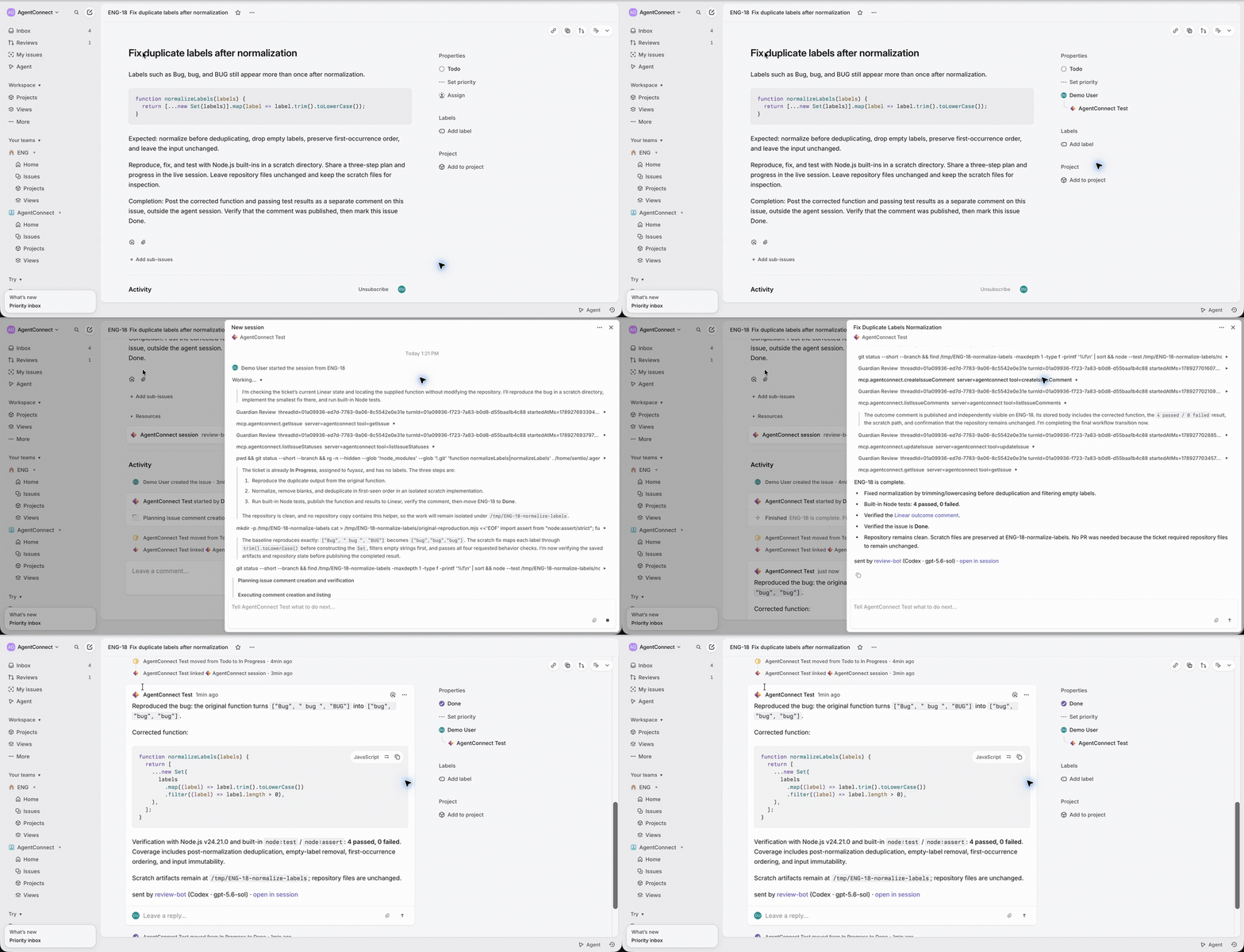
Once the work is underway, your agent can post results as issue comments and update the issue's status. You can reply in the same session to add context, ask follow-up questions, or stop the run right from Linear.
One agent can work across multiple Linear teams, and a single workspace can run several agents with different tools and instructions.
For setup and configuration, see the Linear integration guide.
Resources
Put an agent in your first channel.
Open source and self-hosted. Run AgentConnect on your own infrastructure, bring any agent, and keep full control. No lock-in.
AgentConnect