Knowledge
Publish reviewed team knowledge in AgentConnect. Manage runbooks and product context, review agent suggestions, and connect external memory services for your team.
Knowledge gives your agents a reviewed, shared reference library without copying the whole collection into every prompt. Use it for durable runbooks, architecture decisions, product facts, and team practices. The same page includes a separate card for organization-wide external memory connections, while each agent still picks its own memory backend and policy.
Open Knowledge in the console. The Handbook at the top holds About, Channels, and People, which agents in assistant mode write for the whole organization. Below it, two tabs separate published content from pending proposals:
- Library: Published, versioned Markdown entries that agents can search.
- Suggestions: Where organization Owners review Knowledge and managed-skill candidates proposed by Dreaming.
Below the tabs, the External memory card lists approved memory services and account connections available to agents.
All organization members can read published Knowledge and view connection metadata. Only Owners can publish or revise entries, archive or restore them, review suggestions, and manage external memory connections.
Publish Knowledge
- Open Knowledge → Organization.
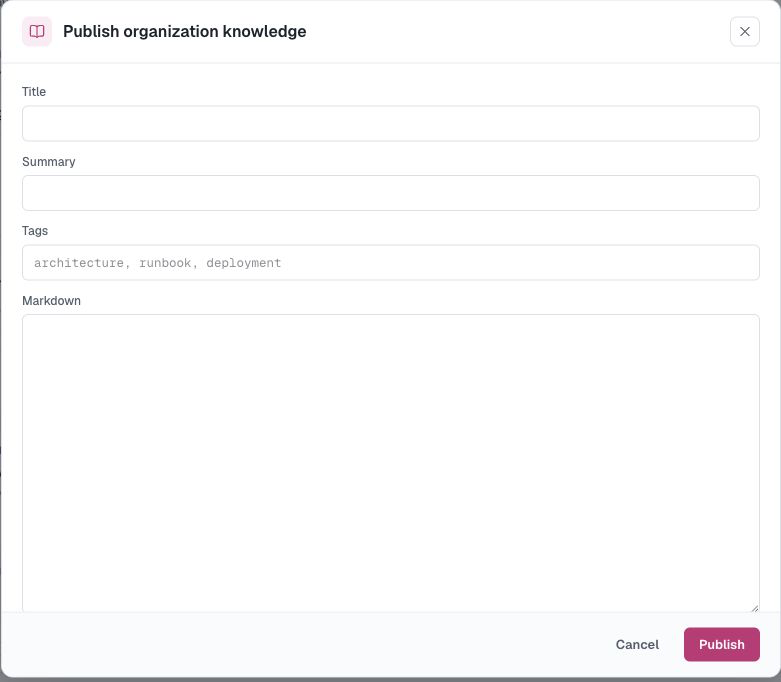
- Click Publish knowledge and enter a title, Markdown body, and optional summary and tags.
- Publish the entry.
Editing an entry creates a new immutable revision instead of overwriting history. Archive an entry when you want agents to stop finding it. Archived entries can still be viewed or restored later.
Review Dream suggestions
Dreaming can turn recurring patterns from an agent's recent sessions into a proposed Knowledge entry or managed skill. Proposals are never published automatically:
- Open Knowledge → Suggestions as an organization Owner.
- Review the proposed Markdown or skill file tree alongside its source sessions.
- Click Accept to publish an approved immutable revision, or Reject to record the decision in review history.
If the source daemon is offline, a suggestion stays listed while its contents are temporarily unavailable. Once accepted, the entry or managed skill becomes available across the organization.
Accepted Knowledge entries appear in the Knowledge library. Accepted managed skills appear under Tools & Skills → Skills library, and still need to be enabled explicitly for each agent.
Manage external memory connections
Open Knowledge → External memory to register and manage approved memory services for your organization. An Owner selects a reviewed plugin installation, enters the required credentials and settings, and creates the connection. Secret values are write-only once saved.
Creating a connection doesn't change any agent automatically. To use it, open an agent's Memory tab, switch to External, pick the connection, and configure its recall and capture policies. The connection provides the trusted service and credentials; the agent binding sets the agent-scoped identity and policy.
See the guide to using Mem0 OSS as external memory for a full deployment, connection, binding, and recall walkthrough.
How agents use Knowledge
Agents search published Knowledge by text and tags when a task needs shared context. AgentConnect doesn't inject the full library into every session, and agents can't publish or approve entries on their own.
Dreaming
Dreaming runs on agents using Managed memory. Open an agent's Memory tab to trigger a Dream manually, change its schedule, review completed memory updates, or optionally mine reusable skills from repeated workflows. Organization Owners still review every shared Knowledge or managed-skill proposal under Knowledge → Suggestions.
How is this guide?