Quick start
Create your organization, choose where agents run, and connect your team's chat and code tools.
When you create a new organization, AgentConnect opens a short guided setup. It asks one main question: where your agents should run. Everything else goes into a Getting started checklist that follows you into the console.
Before you start
You need:
- Access to AgentConnect Cloud or an AgentConnect OSS deployment.
- For the daemon path only: a macOS, Linux, or WSL machine with Node.js 24.12+, plus at least one installed and authenticated runtime such as Claude Code, Codex, or another ACP-compatible runtime.
1. Sign in
Open AgentConnect Cloud, or the Web URL for your self-hosted deployment.
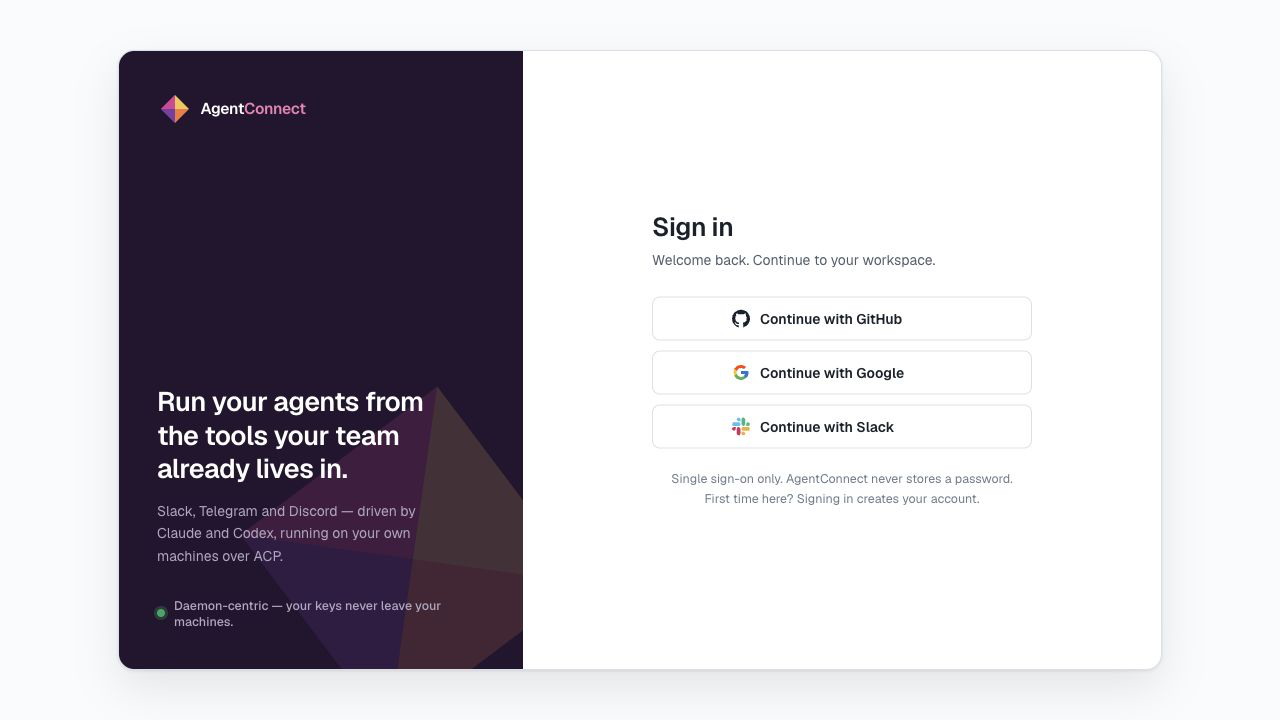
Cloud supports GitHub, Google, and Slack sign-in. Self-hosted deployments can configure their own providers through Logto. The default local OSS stack runs without authentication and opens the console directly.
2. Create your organization
Signing in creates your user profile, not an organization. Pick a URL name (lowercase letters, digits, and hyphens) and an optional display name, which defaults to the URL name. If you're joining a teammate's organization instead, open their collaborator invite link to skip this step.
3. Choose where agents run
Next, setup asks Where to run. Your choice determines whether you need to install anything:
- Cloud (Cluster on a self-hosted deployment with a daemon pool): agents run on infrastructure the deployment already operates. Nothing to install, and setup finishes here. Cloud includes free credits to get started.
- Daemon: bring your own machine and provider credentials. Choosing this option adds the daemon connection step below.
Only owners see this setup, and it runs once per organization. Selecting either Finish or Skip marks it complete, and organizations that already have a daemon won't see it again.
4. Connect your daemon
This step applies to the Daemon path. If you chose the managed pool, skip ahead to the checklist.
A daemon runs agents inside the environment you operate. It detects the runtimes installed on that machine, keeps workspaces and credentials local, and connects outward to AgentConnect.
The onboarding page generates a one-time connection command. Copy the exact command, run it on the target machine, and leave it running. The page waits for the daemon and advances automatically once it comes online.
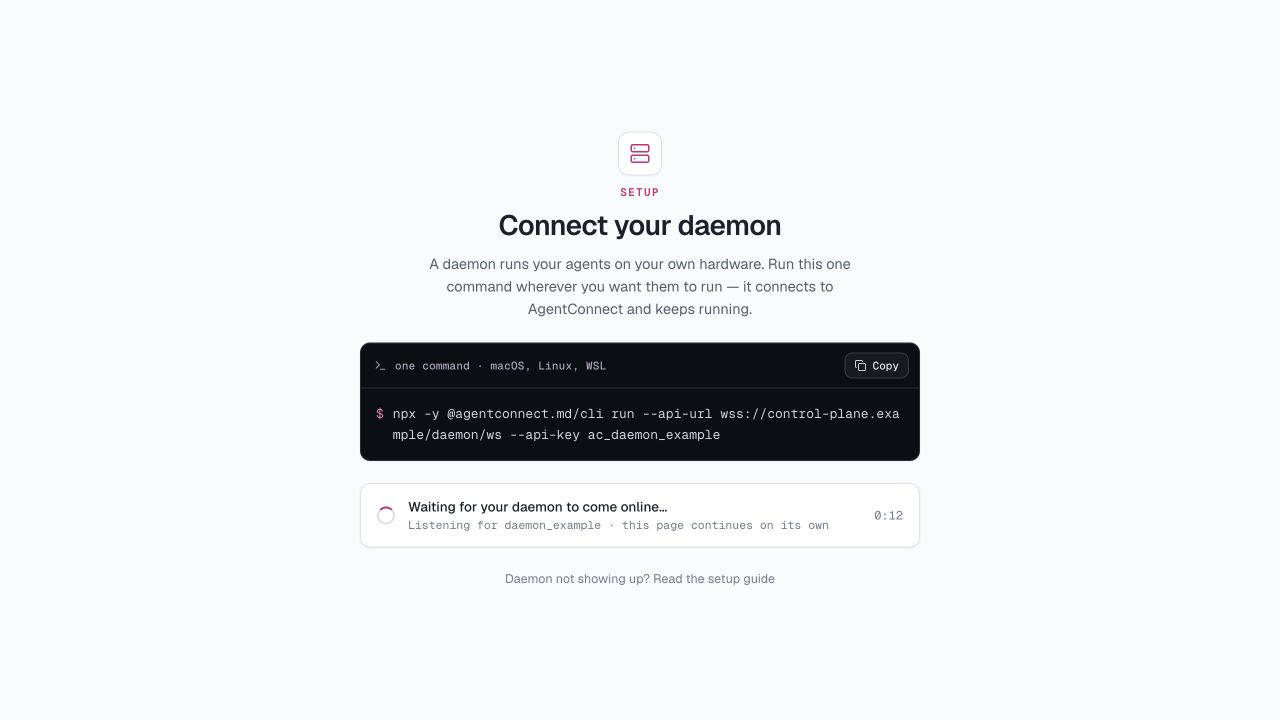
Running in the foreground is ideal for your first test. To keep the daemon running after logout or restart, see Install the daemon.
5. Set up the built-in agent
Every new organization includes a built-in AgentConnect agent. Once your daemon is online:
- Choose one of the runtimes detected on that daemon.
- Pick a model if the runtime offers model selection.
- Select Save and continue.
The daemon is already selected for you. You can skip this step and finish it later from the checklist or the agent's settings.
6. Finish the team setup
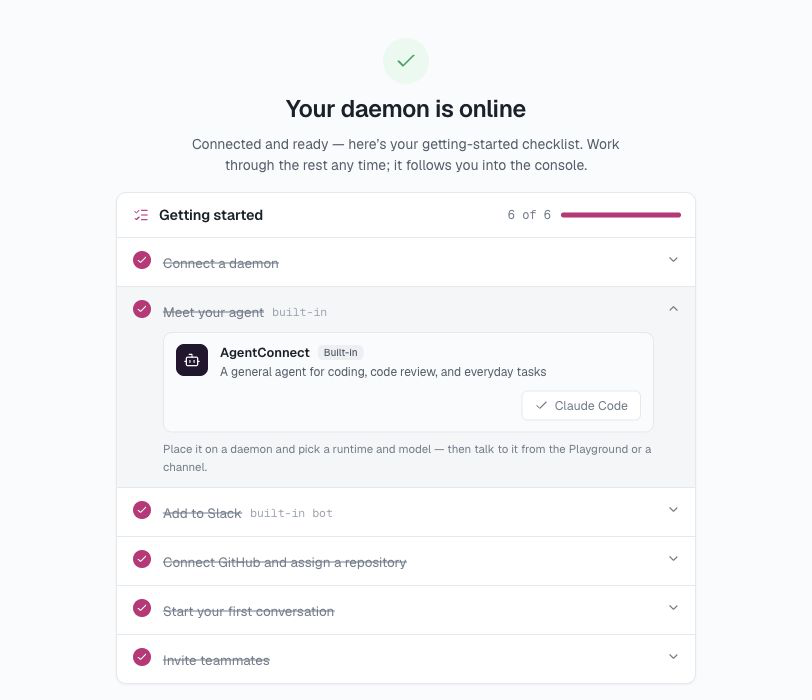
After setup, the Getting started checklist appears in the console as a floating pill. Click it to open a drawer that walks you through the remaining items one step at a time:
- Connect a daemon (shown only when the deployment has no pool to run agents on, so Cloud never shows this step)
- Connect the built-in agent to Slack
- Connect GitHub and assign a repository
- Link your GitHub profile if your sign-in method didn't already provide it
- Start a conversation
- Invite teammates when authentication is enabled
- Review the session access policy
The checklist reflects the live state of your organization, so anything completed elsewhere is checked off automatically, and the current step is shared across the whole organization. Skip for now hides the pill on that device only; you can reopen it from the account menu.
7. Start working
Select Start your first conversation to open Home, or start directly from Slack, GitHub, or another connected platform. Pick one or more agents and send a prompt. Their work appears under Sessions, subject to its visibility and your permissions.
If you skipped setup
Open Getting started from the console to resume the checklist. You can also use Infra → Add daemon and the built-in AgentConnect agent's settings to complete the daemon-path steps manually.
What's next
- Connect platforms: link agents to Slack, Telegram, Discord, Lark / Feishu, GitHub, GitLab, Linear, and other triggers.
- Create agents: add specialists with different roles, runtimes, models, and workspaces.
- Permissions: control agent, session, repository, and agent-to-agent access.
- How it works: understand the daemon, optional Relay, and Control Plane.
- AgentConnect OSS: run the open-source stack with Docker Compose or Kubernetes.
How is this guide?