Layered PR reviews
Review every PR revision with a fast model, then bring in a stronger reviewer only when a change needs deeper analysis.
Pair two agents to build a layered review workflow: a fast reviewer covers every pull-request revision, while a stronger model stays idle until a maintainer explicitly asks for a deeper review.
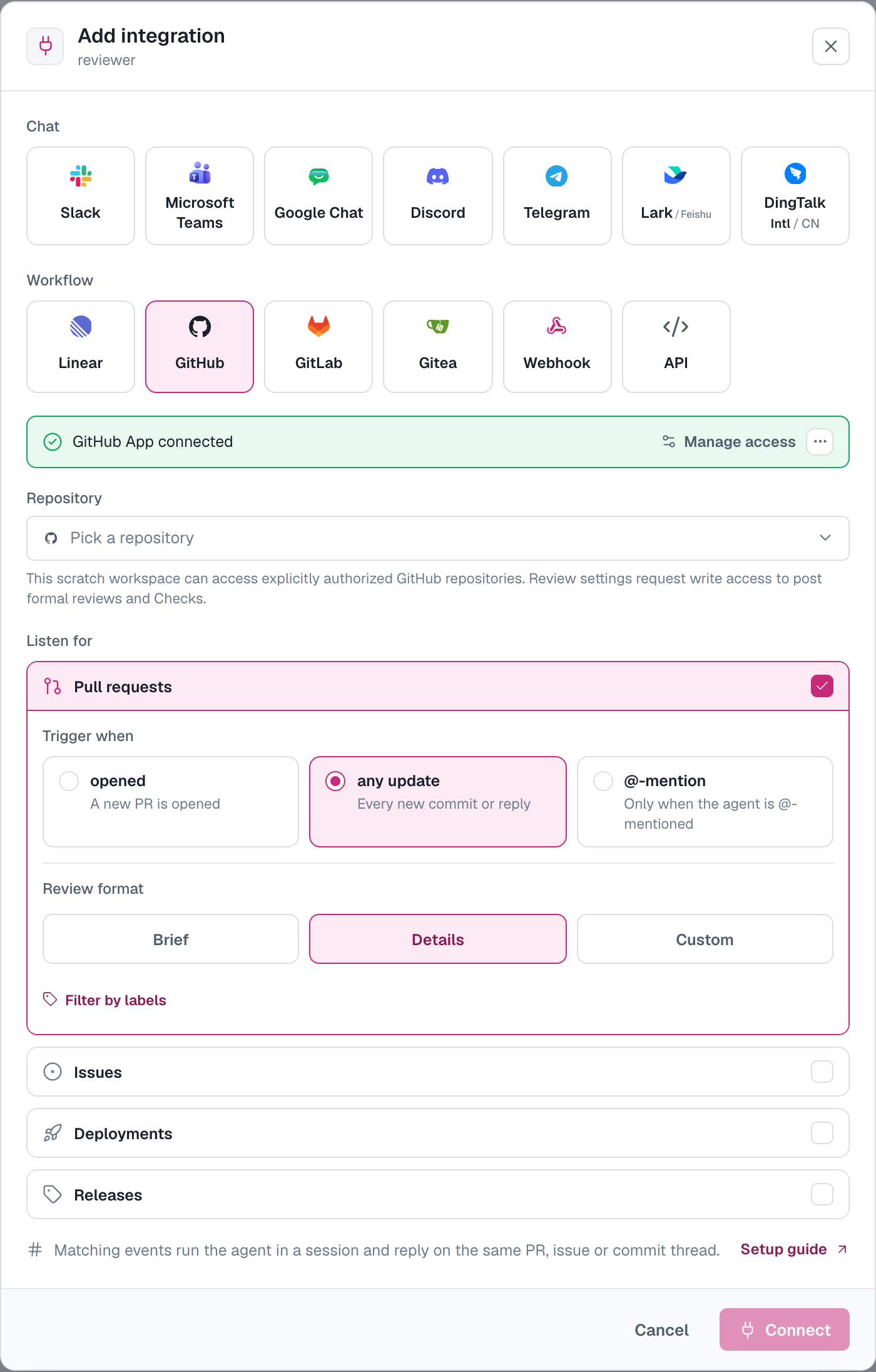
Both agents watch the same repository through one AgentConnect GitHub App. Each has its own runtime, model, instructions, session, and review settings.
This follows the layered-specialist pattern in Multi-agent work modes. Compare it with trigger fan-out and direct delegation before setting up your reviewers.
| Agent | Model profile | Trigger | PR review | Role |
|---|---|---|---|---|
quick-review | Fast and efficient | any update | Brief | Baseline correctness and regressions |
deep-review | Strong reasoning | @-mention | Details | Architecture, security, migrations, operations |
Before you start
You need:
- Two online agents configured with the runtimes and models you want to compare
- The AgentConnect GitHub App installed on the repository
- write repository access for both agents
- Effective GitHub App
pull_requests:writepermission, pluschecks:writefor the deep reviewer's informational Check
See GitHub for integration details and Workspaces & repositories for repository authorization.
1. Configure the reviewers
Create two agents and give each one a focused review role.
For quick-review, choose a fast model and instructions such as:
Review each pull-request revision for correctness, missing tests, obvious security
issues, and compatibility regressions. Keep findings concise and actionable. Do not
claim approval or request changes; leave deeper architectural analysis to deep-review.
For deep-review, choose a stronger model and instructions such as:
Perform a deep pull-request review. Prioritize architecture, concurrency, security,
data migrations, failure recovery, and operational risk. Verify findings against the
current diff and avoid repeating comments that are already resolved.
Keep the agent names stable. The deep reviewer's name becomes its targeted GitHub handle, such as @deep-review.
2. Watch the repository with both agents
On quick-review, open Integrations → Add integration → GitHub:
- Select the repository.
- Under Listen for, select Pull requests.
- Set Trigger when to any update.
- Set PR review to Brief.
Repeat on deep-review, choosing:
- Pull requests
- @-mention
- Details
The any update trigger covers opened PRs, new revisions, and supported PR conversation events, though only revision-bearing events start an automatic review run. If you only want the baseline review when a PR is first opened, choose opened instead. Later commits will then need an explicit mention.
3. Run the workflow
Opening a PR or pushing a new revision runs quick-review automatically.
When a change needs deeper analysis, an authorized maintainer adds a PR comment naming only the second agent:
@deep-review Please review the concurrency, migration, and rollback risks in this revision.Using the agent handle narrows the repository fan-out, so this comment runs deep-review without rerunning quick-review. Handle matching is case-insensitive and requires the full agent name.
Mentioning the GitHub App instead (for example, @your-agentconnect-app) broadcasts to every matching reviewer on the repository.
What appears on GitHub
Each agent maintains its own PR session. A reviewer with informational Check reporting enabled appears as:
AgentConnect PR Review: <agent-name>Both agents still post under the same installation-level GitHub App identity. For that reason, this setup keeps the baseline reviewer on Brief, which can submit a formal COMMENT review but can't APPROVE or REQUEST_CHANGES. The deep reviewer uses Details for the verdict, inline comments, and informational Check.
To let a reviewer approve or request changes on pull requests opened by another agent, give it its own GitHub App. GitHub rejects reviews from the pull request's own author.
AgentConnect Checks block merging only if the repository marks them as required. Require a review before merging explains which reviewers can be required; @-mention reviewers such as deep-review can't.
Important behavior
- The mention must come from a current repository maintainer with
triage,write, oradminpermission, or from a trusted user. Comments authored by the GitHub App are ignored as triggers even if they include@deep-review, which prevents bot-to-bot loops. GitHub's native Request review button can also request the App, but it runs every matching reviewer rather than onlydeep-review. - A targeted
@deep-reviewmention takes precedence over the baseline reviewer's broader any update trigger for that delivery. - You don't have to memorize the exact agent name. Creating an organization team named
deep-reviewlets@<organization>/deep-reviewautocomplete in the comment box and summon the same agent. See Make the agent name autocomplete. - Re-run all checks reruns the current AgentConnect review Checks in the App's suite. Use the individual Check action when you only want to rerun one reviewer.
- PR bodies, diffs, and comments are untrusted input. Keep agent permissions conservative, especially on public repositories, and run reviewers of outside contributions in
microsandboxor Kubernetes (execution environments).
If you want automatic model escalation without a maintainer mention, use trusted agent-to-agent orchestration instead of trying to trigger another agent through a visible GitHub bot comment.
Troubleshooting
| Symptom | Check |
|---|---|
@deep-review does nothing | Exact agent name; triage/write/admin or trusted author; @-mention trigger |
| Both reviewers run | Mention the agent, not the GitHub App |
| No inline comments or verdict | Details; repository write; App pull_requests:write |
| No informational Check | Check reporting and App checks:write |
How is this guide?