Connect & AutomateWorkflows
Schedules
Run an agent on a cron schedule for daily reports, nightly audits, or periodic sweeps, posting output to a channel or keeping it in Sessions.
Schedules run an agent on a cron cadence, such as a daily deploy report, a nightly dependency audit, or a Monday-morning triage sweep. Each run starts a fresh session for the agent, so you can replay and inspect every run in Sessions.
Create one
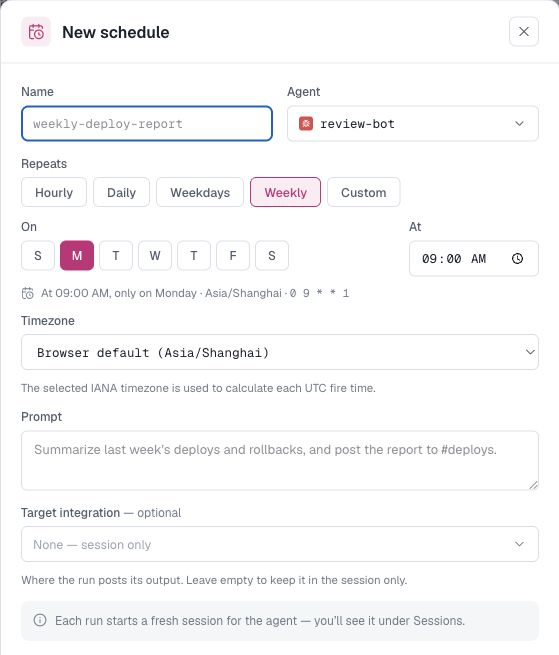
Open Schedules → New schedule and configure the following fields:
- Name: A short label, such as
weekly-deploy-report. - Agent: The agent that runs the schedule.
- Repeats: Pick Hourly / Daily / Weekdays / Weekly (with a day picker and time), or select Custom to enter a five-field cron expression (
0 9 * * 1). - Timezone: The IANA timezone used to evaluate the schedule, such as
America/New_YorkorAsia/Shanghai. New schedules default to your browser's timezone, and the saved timezone still applies if the agent later moves to a daemon in another region. - Prompt: The task, written the way you'd brief a person: "Summarize last week's deploys and rollbacks, and post the report to #deploys."
- Target integration: Optional. Pick one of the agent's integration channels to post the run's output there, with replies threaded underneath. Leave it on None — session only for a headless run that you read in Sessions.
- Visibility: Controls who in your organization can see the schedule (details).
Run and review schedules
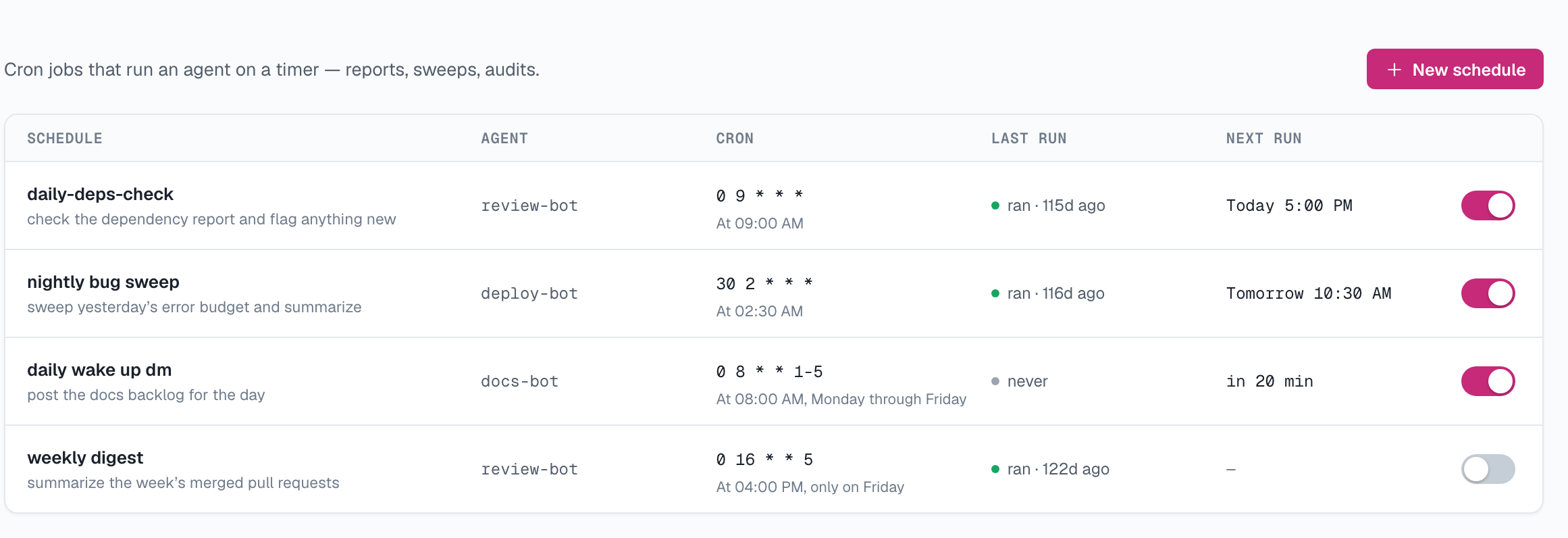
Use Run now to test a schedule without waiting for its next firing. Each run records its outcome and links directly to the corresponding session. You can also pause a schedule without deleting its configuration.
Notes
- Schedules fire on the agent's daemon. If the daemon is offline at the scheduled time, that firing is skipped (check the runs list for the audit trail).
- Because each run starts a fresh session, keep the prompt self-contained. Use the agent's memory for standing context.
How is this guide?