Bots
The organization-wide roster of Slack, Telegram, Discord, Lark / Feishu, and Linear identities.
A bot is the persistent account registered on your chat platform: a Slack or Lark / Feishu app, a Telegram bot, or a Discord application. Integrations bind bots to agents, while the bots themselves are managed under Integrations → Messaging apps (one tab per platform).
A connected Linear workspace appears on the same page. Because the workspace itself is the shared identity for every agent enabled on it, its row is labeled workspace instead of bot.
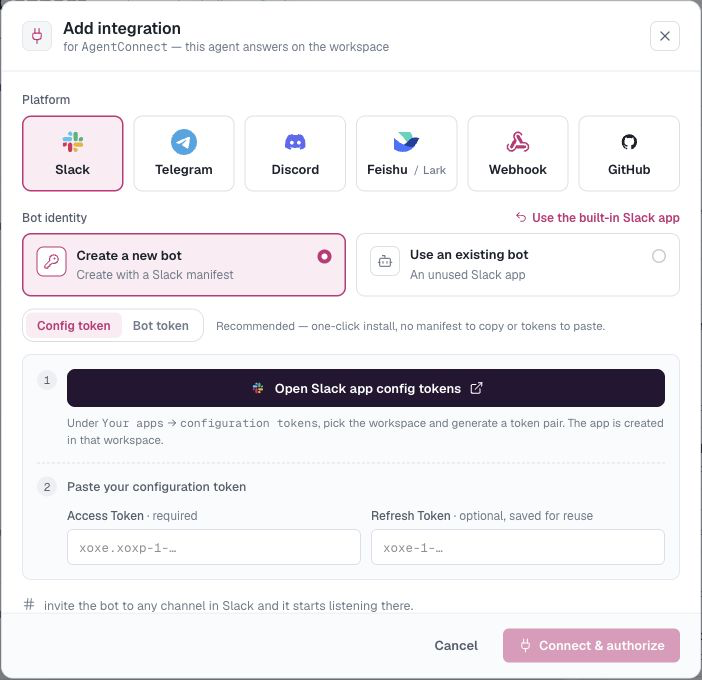
The roster
The roster lists every bot identity registered in your organization along with the agents currently using it. Deleting an integration frees its bot for reuse without uninstalling it from the chat platform.
Channel roster & shared-bot routing
A shared bot can serve multiple agents behind one identity and route each channel to a different active agent. See Integrations overview for how shared routing works, and One Slack app with different agents by channel for a complete walkthrough.
Deleting a bot
Only free bots can be deleted. If an agent is still using a bot, remove that integration first. Deleting a bot removes its stored tokens from AgentConnect; to remove the app itself, uninstall or delete it in Slack, BotFather, the Discord Developer Portal, or the Lark / Feishu developer console.
For a Linear workspace, use the Disconnect action on its row instead. Disconnecting doesn't wait for agents to be unlinked: it removes the workspace across the whole organization (including agents you can't see) and revokes the grant in Linear. Use Reconnect on the same row to repair a grant that expired or was revoked in Linear.
How is this guide?